Showing posts with label samsung. Show all posts

Monday, March 30, 2015

Samsung Galaxy S6 and S6 edge Live Photos


I went to Eastwood yesterday morning after my usual workout routine, and to my surprise, a live demo unit is already available at Smart Center Eastwood Citywalk. I was the first "customer" at the store, so I got a chance to play with it and view it from every angle for quite some time.

I have to say that both phones look gorgeous and premium. The camera is really good, I think one of the best in Android phones. The speakers are way louder than the iPhone 6 Plus. 

I read on early reviews online that the Samsung Galaxy S6 looks like an iPhone. It looks like an iPhone 6 only if you look at its aluminum side, other than that, it doesn't. I also noticed that the S6 demo unit is a dual SIM variant, while the S6 edge demo unit is a single SIM variant.

Later in the afternoon, I went to SM Megamall, and saw more demo units at the Globe Store, and Samsung Store in Cyberzone Bldg. B

If you are planning to get one, and not from a postpaid plan, prices are as follows:
  • Galaxy S6 (32GB) SRP P35,990
  • Galaxy S6 (64GB) SRP P41,990
  • Galaxy S6 edge (64GB) SRP P47,990
  • Galaxy S6 edge (32GB) SRP P41,990
The Samsung Galaxy S6 edge really took my heart. I love it's "edgy" look and feel. I think Samsung finally got the design right this time, to win both Android and non-Android users.

Here are a couple of photos I took from Smart Eastwood Citywalk, and I hope you enjoy it.

Samsung Galaxy S6


Samsung Galaxy S6 edge


All photos posted are my property.Copyright is applicable.

Monday, March 23, 2015

Samsung Galaxy S6 and S6 edge Postpaid Plan Price Comparison

Globe and Smart finally released the postpaid plan cash-out prices for the Samsung Galaxy S6 and Galaxy S6 Edge. Both devices will be available on April 10. If you pre-order now, both networks offers free wireless charging port on your new phone. Are you having a hard time thinking which plan offers less cash-out? See the table below.


You may also want to consider which plan will give you the best value out of your monthly service fee before signing-up. Some plans offers a data plan, a lot of free calls, but less SMS. Some plans offer a data plan and unlimited same network calls and text.

In my opinion, Smart wins this round. I personally do not like Globe's myLifestyle Plan. You can also read the same sentiment in online forums when they changed their myBest Ever Superplan to myLifestyle Plan. Globe subscribers will have to wait for a year or two before they change it again. 

Please note that this post is not a paid advertisement from neither networks.

Bookmark this page to be updated when Smart releases their cash-out for Data Plan 1500.

Monday, October 20, 2014

Globe details Samsung Galaxy Note 4 pricing across all plans


Photos courtesy of: Globe Samsung Note 4 Page


Planning to get the Samsung Galaxy Note 4 this weekend from Globe? Make sure you have lots of cash, or a high credit limit from your bank before you go to a Globe store because it ain't going to be free!

Tuesday, November 26, 2013

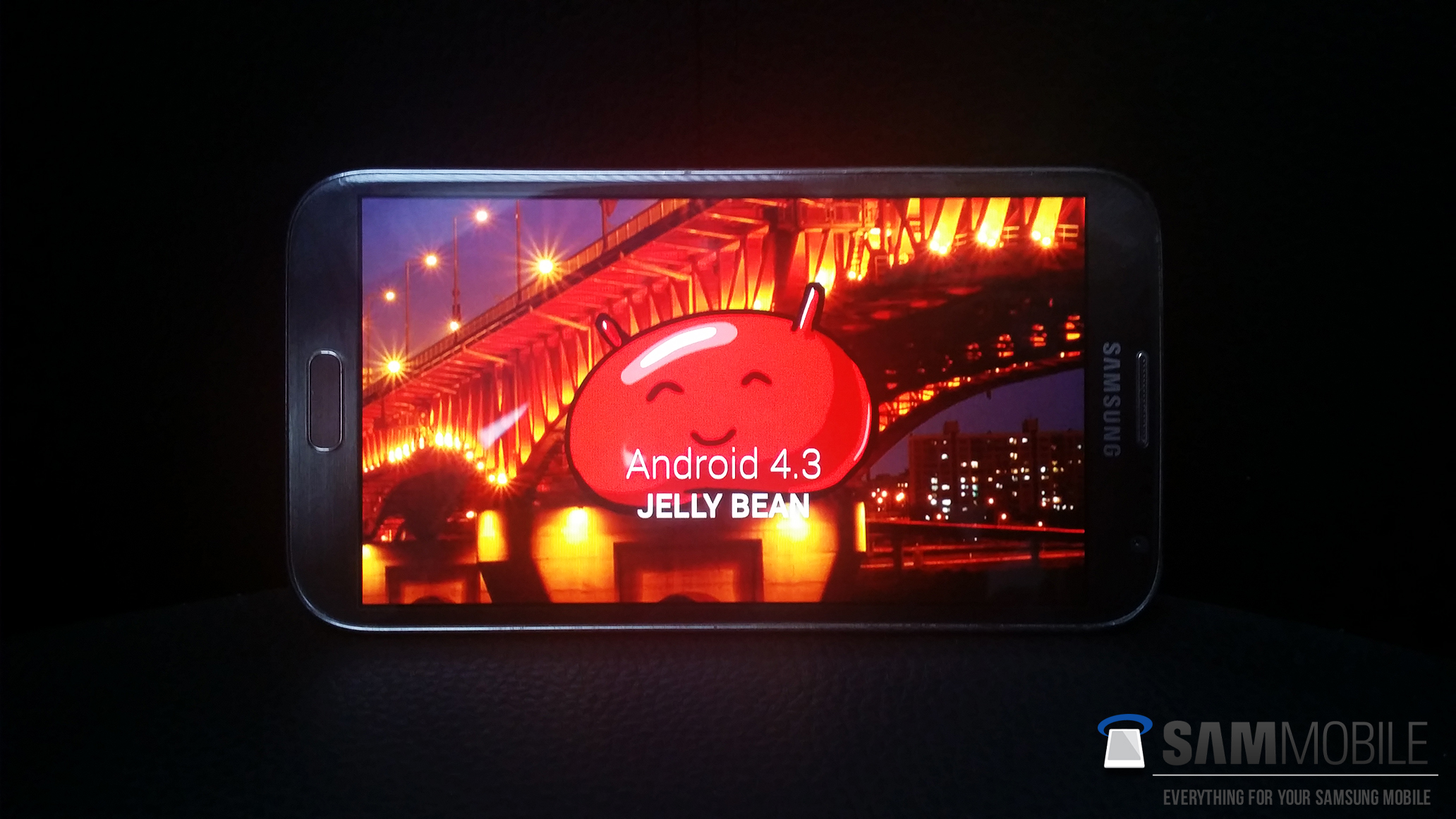
Samsung Galaxy Note II LTE (GT-N7105) receives official Android 4.3 Jelly Bean update

Similar to its brother (Samsung Galaxy Note II N7100), Samsung has just started rolling out Android 4.3 update for the Galaxy Note II LTE (GT-N7105). It’s been a long time since Samsung updated the Galaxy Note II to a new version of Android. Jellybean 4.1.1 is the stock OS installed out of the box, so 4.3 update is indeed a welcome change to all users.

CHANGES AND IMPROVEMENTS IN ANDROID 4.3 UPDATE
- GALAXY GEAR Support
- TRIM Support (Makes the device much faster)
- Samsung KNOX
- Samsung Wallet (Pre-loaded)
- Better RAM management
- Core UI elements updated to the ones on the Galaxy S4 (Galaxy S4′s theme all over)
- New Samsung Keyboard
- GPU drivers have been updated (Higher GPU benchmark scores)
- New Lockscreen: Multiple Widgets, improved ripple effect than Android 4.1.2, ability to change clock size and set a personal message
- New screen modes (From S4): Adapt Display and Professional Photo
- Daydream
- Driving mode
- Actionable notifications
- Move-to-SD-card feature
- New Camera mode : Sound and Shot
- New Additions in Notification Centre
- Completely revamped Settings UI (Tabbed interface – Exactly like the Galaxy S4)
- Implementation of Voice controls (Let’s you control various parts of the phone using voice commands – Galaxy S4 feature)
- New Samsung Apps: Calculator, Clock, Contacts, Gallery, Music
- Full screen Samsung apps
- New S-Voice (from Galaxy S4)

Source: http://www.sammobile.com/2013/11/19/samsung-galaxy-note-ii-lte-gt-n7105-receives-official-android-4-3-jelly-bean-update/

Samsung Galaxy Note II (GT-N7100) receives official Android 4.3 Jelly Bean update


Photo courtesy of SamMobile

The wait is over! Samsung has just started rolling out Android 4.3 update for the Galaxy Note II in India and, then China.

In case you dont know, Samsung Note II users like me have not received a major update as it is launched with Android 4.1.1 Jelly Bean out of the box. The last update it received it the upgrade to 4.1.2. Samsung pulled out their plans to update it to 4.2.2 when they learned that 4.3 is a major upgrade.

CHANGES AND IMPROVEMENTS IN ANDROID 4.3 UPDATE
- GALAXY GEAR Support
- TRIM Support (Makes the device much faster)
- Samsung KNOX
- Samsung Wallet (Pre-loaded)
- Better RAM management
- Core UI elements updated to the ones on the Galaxy S4 (Galaxy S4′s theme all over)
- New Samsung Keyboard
- GPU drivers have been updated (Higher GPU benchmark scores)
- New Lockscreen: Multiple Widgets, improved ripple effect than Android 4.1.2, ability to change clock size and set a personal message
- New screen modes (From S4): Adapt Display and Professional Photo
- Daydream
- Driving mode
- Actionable notifications
- Move-to-SD-card feature
- New Camera mode : Sound and Shot
- New Additions in Notification Centre
- Completely revamped Settings UI (Tabbed interface – Exactly like the Galaxy S4)
- Implementation of Voice controls (Let’s you control various parts of the phone using voice commands – Galaxy S4 feature)
- New Samsung Apps: Calculator, Clock, Contacts, Gallery, Music
- Full screen Samsung apps
- New S-Voice (from Galaxy S4)


Source: http://www.sammobile.com/2013/11/19/samsung-galaxy-note-ii-gt-n7100-receives-official-android-4-3-jelly-bean-update/ 

Saturday, August 24, 2013

Get these Unbelievable Deals from Globe - August 23 to 26, 2013

Who would have thought that a telco will remove it's cash out on the  Samsung Galaxy S4 after 4 months of its release in the Philippines.


Globe launched a great deal this long weekend, and temporarily removed the P4800 cash out when getting a Samsung Galaxy S4 on Plan 1799. 

Other great deals include the Samsung Galaxy Note 2 LTE which is now free on Plan 1799, Samsung Galaxy S3 and Galaxy Note 2, now free on Plan 999 which both are originally free on Plan 1799, and the budget-friendly phone Huawei Ascend G510 which is now free on Plan 299. All phones are at 24 months lock-up period.

The problem with this is, the deal is only available to NEW subscribers. Weekly offers like this do not apply to old subscriber who are already out of their lock-up periods. 

I think, Globe needs to revisit their loyalty/retention policy to its subscribers as there are customers out there who are willing to stay with them despite the network issues they encounter everyday


Tuesday, March 26, 2013

Samsung Galaxy Note N7000 finally receives Jellybean update

Finally, the Samsung Galaxy Note N7000 for Philippines received the much awaited Jellybean 4.1.2 update.

To download it, just connect your phone to your PC with fast internet connection and launch KIES, or download it over-the-air.


If you still don't know what the enhancements in the new Jelly Bean update are, just look the items below!

- Android 4.1.2 – Build JZO54K
- Buttery Smooth Performance & Great Stability (Thanks to Project Butter)
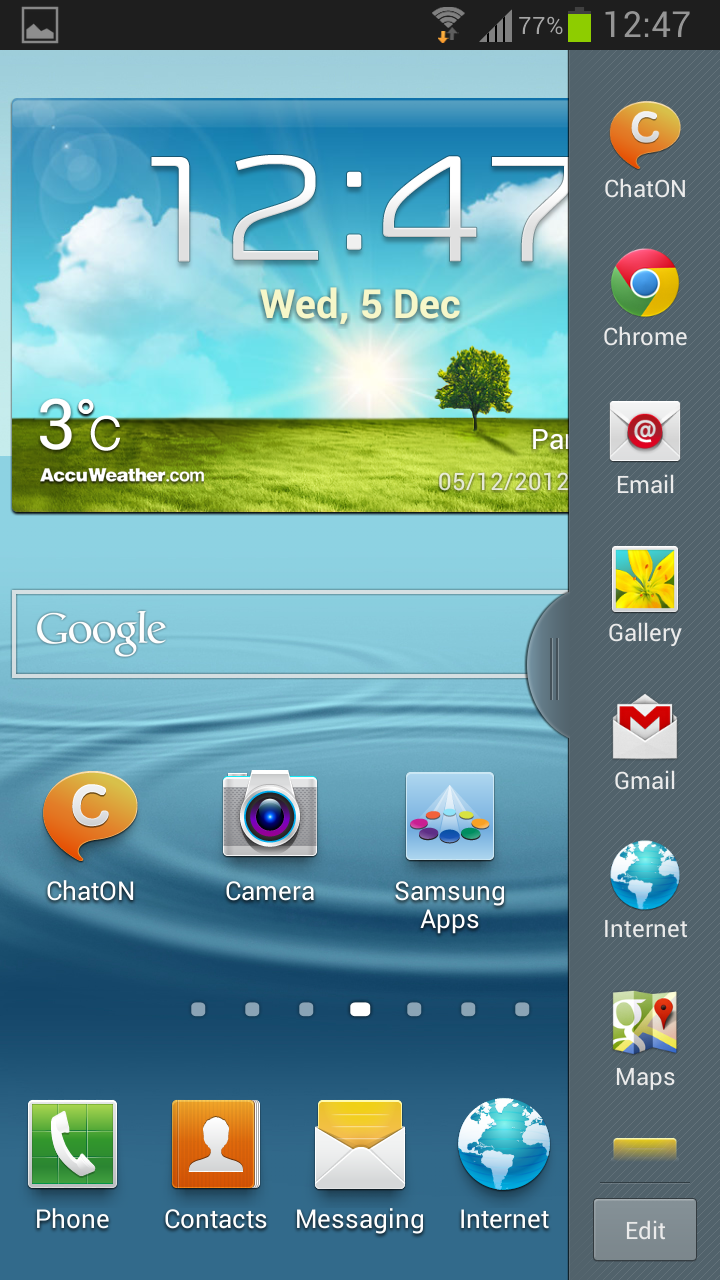
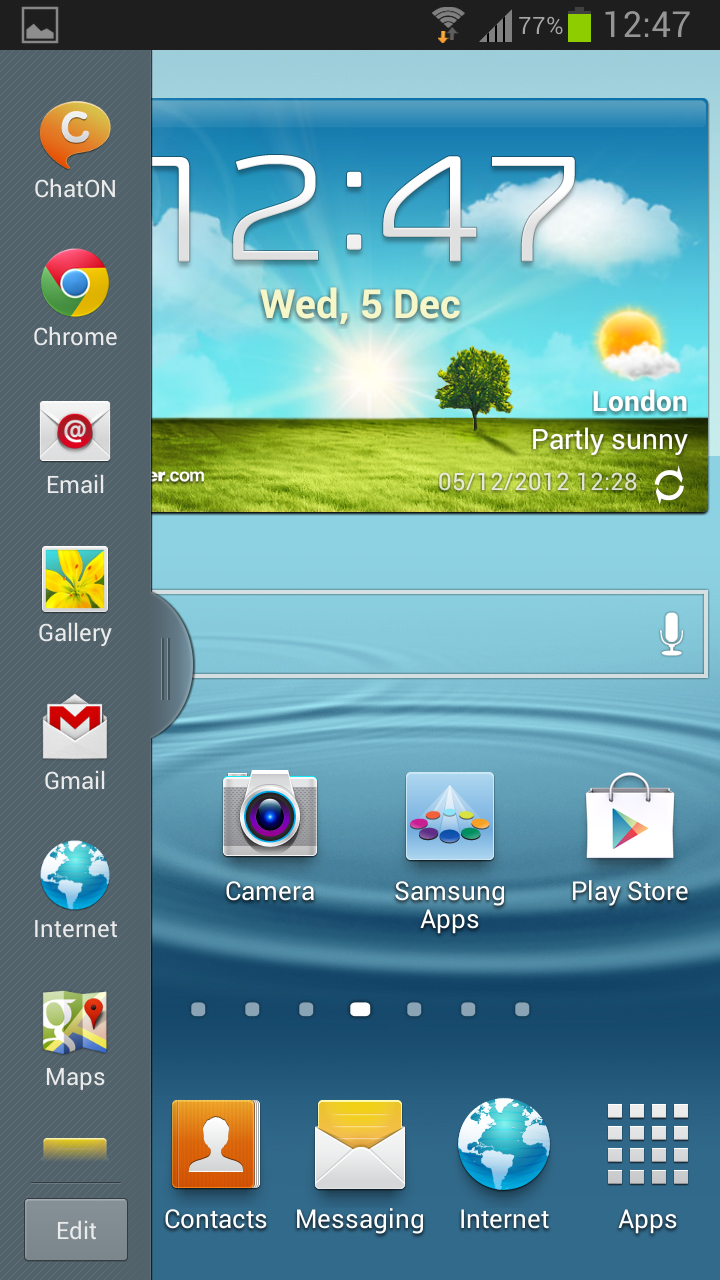
- Multi-View (Multi Windows Multitasking, same as in Note II)
- Multi-View can also be disabled
- Page Buddy
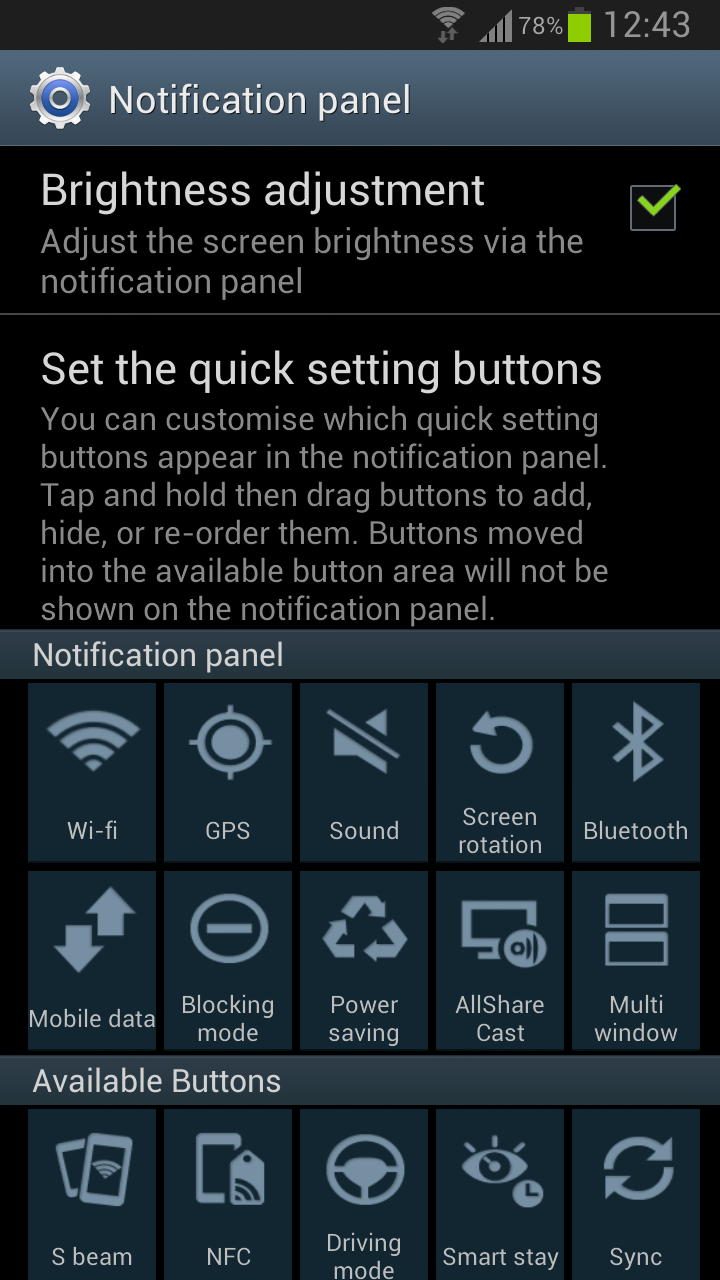
- Notification Panel can now be customized
- New Additions in Notification Panel
- Smart Rotation (Screen Display adjusts to your angle of sightings)
- Continues Input in Samsung Keyboard (Like Swipe or Android 4.2 Keyboard)
- Samsung’s Cloud services
- Features like Direct Call, Smart Stay and Pop-up Play
- New Widgets From the Galaxy S III
- 2 Home screen modes
- New Notifications bar
- Google Now

Friday, January 25, 2013

Get the Samsung Galaxy S III Mini for P10,000

Want to get the Samsung Galaxy S III Mini for P10,000 ($257) with Samsung warranty and NTC seal? Then Go to SM Mall of Asia or SM City Cebu on February 2, 2013, Saturday.

Here's the catch though:

  • They'll be offering a P2,000 discount on the S III Mini (SRP: P14,990)! Plus, they'll throw in a free flip cover!
  • To make the deal sweeter, 100 lucky buyers will get an additional P3,000 off!


Tuesday, January 22, 2013

Sun Postpaid Promo - January 2013

Sun Cellular really made an impact on most Filipinos when they introduced the country's first Unlimited Call & Text Service. They also made an impact on their competitors when a late-comer in the mobile network industry is the first one to have 1,000,000 subscribers. Thanks to its great line-up of phones and affordable services.

If you are planning to switch or getting your first postpaid plan, why won't you consider getting Sun? Here's their latest offers for you!

Plan 600: Sun Droid Rush (Alcatel T10 ICS Tablet and Glory X918N)


 Plan 999: Sun Droid Rush (Samsung Galaxy Tab 2 WiFi & Galaxy Y)


Blackberry Plans (Plan 600, Plan 999, Plan 1699)


Plan 1699 (Plan 1500 + 199 add-on)


Thursday, January 17, 2013

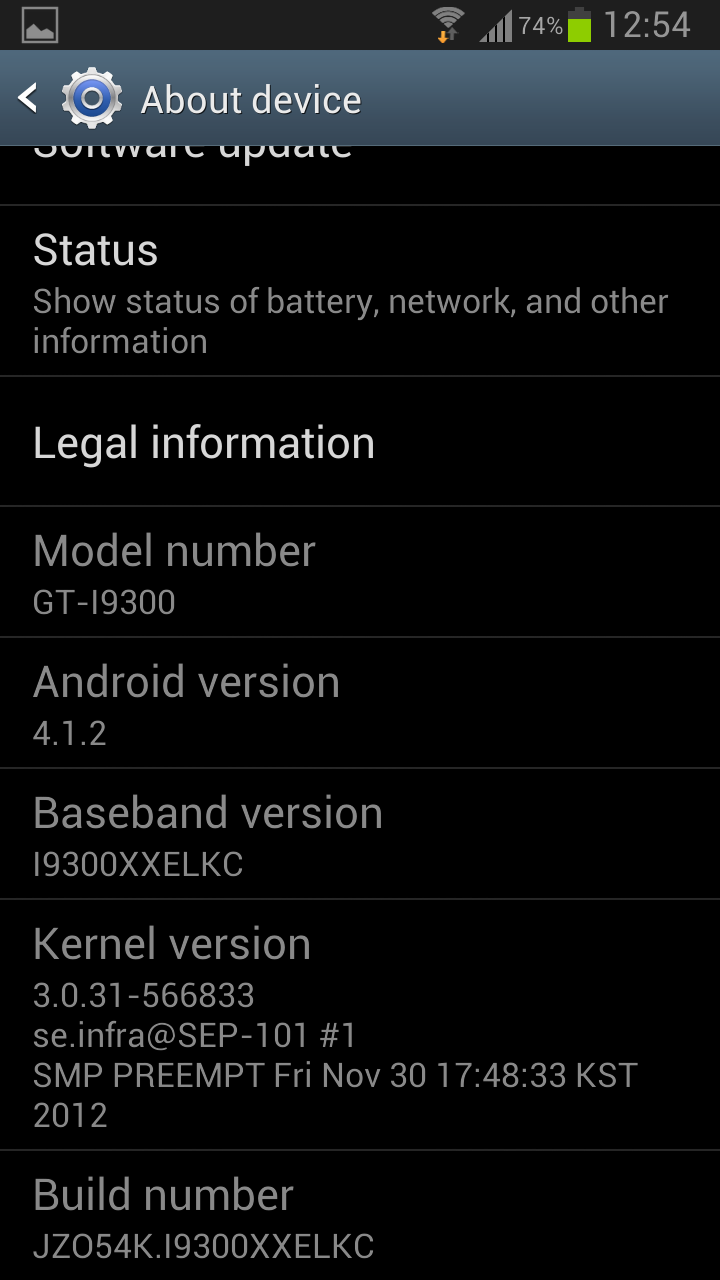
Samsung Galaxy S III 4.1.2 Update is finally in the Philippines

The long wait is over! Philippines finally received the most anticipated update for Samsung Galaxy S III, Jellybean 4.1.2.


With 4.1.2 you get:
-Android 4.1.2 – JZO54K
-Multi-View (Multi-Windows Multitasking, same as in Note II)
-Page Buddy
-New Gallery App (Same as in Note II)
-Notification Panel (Notification Panel can now be customized)
-Brightness Slider in Notification Panel Can Now Be Disabled
-Smart Rotation (Screen Display adjusts to your angle of sightings)
-Continues Input in Samsung Keyboard (Like Swipe or Android 4.2 Keyboard)
-Paper Artist App
-Group Cast App


Now, connect that phone to your PC with hi-speed internet, and download that update. Or wait for the OTA (over-the-air) update later today.


Reference: http://www.sammobile.com/2012/12/05/galaxy-s-iii-receives-android-4-1-2-jelly-bean-update-lots-of-new-features/

Monday, January 7, 2013

Samsung Galaxy Note II 4.1.2 Update is now available in the Philippines


Rejoice Samsung Galaxy Note II in the Philippines! JellyBean 4.1.2 Update is now available for download using KIES. 

UPDATE: Also now available OTA (Over-the-air) with a file size of about 280-290MB

Just connect your phone to your PC and let KIES do it's job! Download may take some time though as this update can be as big as 800MB 280MB...

Get are some of the following features in 4.1.2:

  • Android 4.1.2 – JZO54K
  • New Additions in Notifcation Toggles
  • Notification Panel can now be customized
  • Brightness Slider in Notification Panel Can Now Be Disabled
  • Multi-View Can now be disabled
  • Browser Is Smoother Then Before
  • Status Bar has been changed from Grey to Black
  • Continues Input in Samsung Keyboard (Like Swipe or Android 4.2 Keyboard)
  • New Ink Effect On Lockscreen
  • New Group Cast Application


Wednesday, December 19, 2012

Samsung Galaxy S III I9300 will get the multi-view feature in Android 4.1.2 Jelly Bean update

After a short while, Galaxy Note II’s exclusivity to multi-view feature will be over. This and some features of Note II will soon be available to Samsung Galaxy S III thru its 4.1.2 update.

Here are some of the Enhancements in the new update:
-Android 4.1.2 – JZO54K
-Multi-View (Multi-Windows Multitasking, same as in Note II)
-Page Buddy
-New Gallery App (Same as in Note II)
-Notification Panel (Notification Panel can now be customized)
-Brightness Slider in Notification Panel Can Now Be Disabled
-Smart Rotation (Screen Display adjusts to your angle of sightings)
-Continues Input in Samsung Keyboard (Like Swipe or Android 4.2 Keyboard)
-Paper Artist App
-Group Cast App

If you can’t wait to have this update, you can flash your phone using ODIN. Just make sure that you have downloaded the firmware update (915MB) before you start.